Wednesday, January 27, 2016

ICPSR Summer Program


Many of you already know about the Interuniversity Consortium for Political and Social Research (ICPSR) If you don't, you need to check out their website because it's one of the best places to find a variety of data associated with education research.

But this post is more for your grad and doc students since it's about the ICPSR Summer Program. The program is recognized throughout the world as a leading program providing basic and advanced training in a wide range of methodologies and techniques for research across the social, behavioral, and medical sciences. The courses emphasize the integration of quantitative methodological strategies with the theoretical and practical concerns that arise in research on substantive issues. Their unique and supportive social environment facilitates professional networking and encourages the exchange of ideas about research theory and practice. 

The program is designed for students, faculty, researchers & policy-makers. Topics include beginning to advanced levels in statistics, data analysis, methodology, research design and more. Courses range from 3 days to 4 weeks and participants will be engaged in hands-on analysis of actual research datasets. All courses are offered on a noncredit basis. However, program can provide official documentation of classroom performance to assist participants in receiving credit at their home institution. The courses are reasonably priced, and fees are lower for those affiliated with an ICPSR member institution and we are a member. For more information go to www.icpsr.umich.edu/sumprog.



Tuesday, January 19, 2016

From DNA to Beer Exhibit Comes to Atkins!


The Akins Library is hosting a National Library of Medicine exhibit called, From DNA to Beer: Harnessing Nature in Medicine and Industry, from February 8th to March 20th. In addition to the exhibit, we are planning activities such as student and faculty lectures, book displays, a special collections display, a photography exhibit, and hopefully (fingers crossed) a beer tasting event with several local breweries. Literature about the exhibit and complementing activities will be published on our website and on posters and flyers very soon. I encourage you all to consider bringing your students to the library to see the exhibit. You can contact me (amoor164@uncc.edu) for more information or take a look at the exhibit website
 
Last year I wrote a brief post about our recently resurrected Popular Reading & DVD collection. The collection, including a New Books section, is located in the library’s atrium near the security offices. Take advantage of the comfortable seating near the shelves and browse our newest and most popular titles. The collection is always changing so stop by regularly to see the newest additions.

Thursday, January 14, 2016

New ways to Assess Students

Heading for Tomorrow Land!

Hope everyone had a great winter break. It's hard to believe another semester has begun.

This post is a bit late because I am currently at the Future of Educational Technology Conference (FETC) [formerly the Florida Education Technology Conference] in Orlando. It's a great place to see what teachers are doing with technology in the classroom. I am feeling a bit overloaded from all of the informative and thought provoking sessions.

One of my favorite presenters, Leslie Fisher, talked about two relatively new assessment apps Quizizz and GoFormative.  Quizizz is similar to Kahoot! in that it's an online, multiplayer, timed game, which can be accessed via any device. One major difference is the students can see the question and the answer on their device. The students also see a point total for each question which diminishes as time passes. Leslie had us take a Dr. Seuss quiz to see how it worked. I found it a bit easier than Kahoot since I didn't have to remember the color and/or shape of the answer.

GoFormative is more like a traditional way of assessing students with a few great twists. It's difficult to explain verbally how this app works, so here's a very quick video -


This app appears to be a blank slate for creating a wide variety of assessments, which teachers can easily grade and provide feedback. You aren't limited to multiple choice questions like Quizizz,  Kahoot or Plickers. Students can type responses to open ended question and even draw answers. Hopefully the developers will add the ability to dictate answers. What's really cool is you can actually watch the students as they respond.

I will be discussing other apps and gadgets I learned at about FETC in future posts. I don't want to overwhelm anyone. So take a look at these two promising apps and try them out on your students!

Monday, December 14, 2015

60 Minutes & Popular Reading


Great news! We’ve added the Alexander Street Press 60 Minutes collection to our streaming video services.  Almost 2 decades of episodes of 60 Minutes are available online in one huge streaming video resource. This collection grants access to the CBS News archives from 1997-2014, including many episodes not widely seen since their original broadcast.

Access the collection here: 

I’m happy to inform you that due to high demand, we’re bringing back our Popular Reading shelves. On December 16th, the Popular Reading section on the first floor of the Atkins Library will be open for browsing -- just in time for break! Stop into the library and find a few good books to read during the long vacation. I know I will.

See you next year!


Tuesday, December 8, 2015

eBooks for Classes and Personal Enjoyment


As you are fanatically trying to draw the Fall semester to a close and gearing for the Spring semester (there is no rest for a weary professor), I wanted to remind you that you may be able to save your students and yourself some time, energy and money. You can do this by checking if Atkins Library has your textbook and/or further readings in an electronic form. If we don't, we can try and get a copy for you and your students. Below is a video reminding you how to find and/or order eTextbooks.


If you happen to have some spare time for personal reading over the holiday break, try searching our catalog for your favorite title. Here's how...


What ever you are doing over the break, I hope you take some time to relax and enjoy!

Monday, November 30, 2015

The Top Ten & Test Prep

Lists.jpg

For most of us, lists are a part of our daily lives: to-do lists, shopping lists, favorites lists, must-read lists. This list of lists could go on and on!  I’m going to throw one more list your way, but don’t be alarmed! I bet you’ll enjoy reading this list of the Top Ten Apps of 2015.  Writers at School Library Journal review books and tools for their annual “Best of” lists. By all means, take a look at the SLJ’s Best picture books, middle grade books, young adult books (my favorite of these lists), and non-fiction books, too, but the Top Ten Apps of 2015 is not to be missed.

The apps included on the list this year inform, challenge, encourage discovery, and engage students in all types of activities. The focus of the list are story apps and curriculum-related content that have been reviewed this year in SLJ.

test prep.jpg

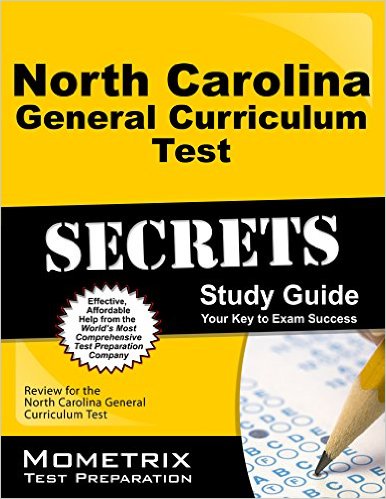
In September the faculty in the REEL department asked Judy & I if we would order the North Carolina general curriculum test prep and flashcard set. Those items are finally available for check out. They’re shelved in the CIMC and can only be checked out for 3 days.  Let your students know they’re here!

Monday, November 23, 2015

EdShelf: A discovery engine for teaching and learning.

 edshelf.com

Well, I haven't figured out how this site has eluded me for so long. I have been trying to create a similar tool to help me organize all the apps and websites I have accumulated over the years not knowing this one already existed!

Basically edshelf is a discovery engine of websites, mobile apps, desktop programs, and electronic products for teaching and learning. But it doesn't search the web itself. Instead it is socially curated by educators. They recommend and review the resources.

The search tools are impressive. You can search for the perfect tool using the following filters: price, platform, subject, age (not grade level),  category (type of tool), date and popularity. You can also browse each of these filter individually. Once you find a resource you can click on it for more information. The record includes a wealth of information - descriptions, reviews, pricing, related tools, etc. 

What is unique about the site is you can organize your findings by creating topic 'shelves', if you create a free account. Once a shelf is created you can share it in a variety of ways including code for webpage widget. The shelf can be a collaborative effort, if you designate additional curators.

Here's a quick overview of how the site works:


Hope you find the site useful. I have already created several shelves and included their widgets on a couple of my research guides.